

Introduction
When someone in Delhi searches for a nearby salon, restaurant, clinic, repair service or retail shop, they often turn to Google Search and Google Maps before deciding where to go. If your business information is missing, incomplete or difficult to find, potential customers may choose another business instead.
A properly set up Google Business Profile can help customers discover your business, check your opening hours, find directions, view photos and contact you. For small businesses, it is an important starting point for building a local online presence.
If you are looking for Google Business Profile setup in Delhi, NearGrow Ads provides professional setup assistance to help business owners organize their business information and establish their presence on Google.
Whether you run a shop in Janakpuri, a clinic in Dwarka, a café in Rajouri Garden or a service business serving customers across Delhi, getting your business profile set up correctly is a useful first step toward local SEO.
What Is Google Business Profile?
Google Business Profile is a free Google tool that allows eligible businesses to manage how their information appears on Google Search and Google Maps.
A business profile can display important details such as:
- Business name, address and contact information
- Opening hours and service areas
- Business categories and services
- Photos of your business, products or work
- Customer reviews and responses
- Website links and available contact options
For example, if someone searches for a dental clinic in Dwarka, Google may display relevant local businesses with their locations, opening hours, reviews and contact details.
A complete and accurate profile helps customers understand what your business offers and how to reach you. However, creating a profile does not guarantee a particular Google ranking or a specific number of enquiries.
Why Is Google Business Profile Setup Important for Businesses in Delhi?
Delhi has businesses across almost every category, from neighborhood shops and restaurants to professional services and healthcare providers. Customers often search using a service, location or phrase such as “near me.”
Here is how a well-maintained profile can support your business.
1. Improve Local Online Visibility
A Google Business Profile gives eligible businesses an opportunity to appear in relevant local search results and Google Maps.
For example, a salon in Janakpuri may be discovered by someone searching for salons in that area. Actual visibility depends on factors such as relevance, distance and prominence.
2. Help Customers Contact You Easily
Customers often want quick answers before visiting a business. Accurate contact details, opening hours and directions make it easier for them to take the next step.
A restaurant in Karol Bagh, for instance, can help customers check its location and operating hours before planning a visit.
3. Build Trust With Accurate Information
An up-to-date profile with genuine photos, correct details and helpful responses to customer reviews gives potential customers a clearer picture of your business.
4. Support Local SEO Efforts
Google Business Profile is an important part of local SEO. It works alongside your website, relevant local content, customer reviews and consistent business information across online platforms.
5. Make Your Business Easier to Discover
A profile can help potential customers learn about your products and services before they contact you. This is particularly useful for local retailers, clinics, cafés, consultants and home-service providers.
Step-by-Step Guide to Google Business Profile Setup in Delhi
Setting up a profile involves more than entering a business name. The details should accurately represent your real business and follow Google's guidelines.
Step 1: Check Whether Your Business Is Eligible
Start by checking whether your business already has a Google listing. You should also confirm that it qualifies for a Business Profile.
Businesses that interact with customers at a physical location or travel to customers can generally qualify, subject to Google's eligibility rules.
If an existing profile belongs to your business, claim it rather than creating a duplicate.
Step 2: Enter Your Correct Business Name
Use your real-world business name as it appears on your signage and other business materials.
Avoid adding extra keywords, locations or promotional phrases to your business name just to influence rankings. Inaccurate naming can create policy problems.
Step 3: Select the Right Business Category
Choose the category that most accurately describes your primary business.
For example:
- A hair salon should select the most relevant salon category.
- A restaurant should choose the category matching its actual business.
- A dental clinic should use an appropriate dental category.
- A digital marketing agency should select a suitable category for its services.
Add additional categories only when they accurately describe the business.
Step 4: Add Your Address or Service Area
If customers visit your business location, enter the accurate address and ensure the map pin is correct.
Businesses that travel to customers, such as plumbers or home-service professionals, may use service areas instead of publicly displaying a residential address when appropriate.
Do not use a virtual office or an address where your business does not genuinely operate to create a misleading listing.
Step 5: Add Contact Information and Opening Hours
Provide a working business phone number, your official website if available, and accurate operating hours.
Check these details carefully. Incorrect hours or phone numbers can cause customers to miss an opportunity to contact you.
Update holiday hours and temporary changes when necessary.
Step 6: Write a Clear Business Description
Explain what your business does, which services it provides and what customers can expect.
For example, a Delhi-based salon might describe its hair, styling and grooming services and the areas it serves, provided the information is accurate.
Keep the description useful and natural. Avoid keyword stuffing, exaggerated claims and promotional language that conflicts with Google's content policies.
Step 7: Add Genuine Business Photos
Use clear, relevant images that represent your actual business.
Depending on your business type, you could add:
- Storefront and interior photos
- Products and service images
- Team or workplace photos
- Examples of completed work
For a cafe in West Delhi, real images of its interior and menu items can help customers understand what to expect before visiting.
Step 8: Complete Google's Verification Process
Google may require verification to confirm that you are authorized to represent the business. Available methods depend on the business and Google's verification process.
Follow the instructions shown in your account and provide genuine, consistent business information.
Verification is controlled by Google. Professional setup assistance cannot guarantee approval or override Google's requirements.
Step 9: Maintain and Improve Your Profile
After setup, keep your business information accurate. Upload relevant new photos, respond professionally to genuine reviews, and update services and opening hours when necessary.
Monitor available performance data to understand how customers discover and interact with your profile.
Consistent maintenance can support your wider local SEO strategy.
Common Google Business Profile Mistakes to Avoid
Even a profile that appears complete can have problems if important details are inaccurate.
Avoid these common mistakes:
- Creating duplicate profiles: Check for an existing listing before creating another.
- Using incorrect business details: Keep your name, address and contact information accurate.
- Choosing irrelevant categories: Select categories based on your actual business.
- Adding keywords to your business name: Use the genuine business name, not a list of search terms.
- Using a misleading address: Represent your real business location or eligible service area.
- Ignoring customer reviews: Respond helpfully and professionally to feedback.
- Uploading misleading photos: Use genuine images relevant to your business.
- Expecting instant rankings: Local visibility depends on several factors and can change over time.
- Assuming verification is guaranteed: Google makes the final verification decision.
Pro Tips for Better Local SEO in Delhi
Focus on the Areas You Actually Serve
If your business serves customers in Janakpuri, Dwarka, Uttam Nagar or nearby parts of West Delhi, make your service coverage clear wherever it is appropriate to do so.
Do not claim locations where your business does not genuinely operate.
Keep Your Website and Business Profile Consistent
If you have a website, ensure that its business name, contact details, services and location information are accurate and consistent with your profile.
A useful local landing page can explain your services, the customers you help and the areas you genuinely serve.
Encourage Genuine Customer Reviews
Invite real customers to share honest feedback about their experiences. Never purchase fake reviews or offer incentives in exchange for positive ratings.
Responding to reviews shows that your business takes customer feedback seriously.
Track Useful Business Outcomes
Look beyond rankings alone. Depending on the available reporting, monitor profile interactions, website visits, calls and direction requests to understand how customers engage with your business.
Use these insights to improve your customer experience and marketing decisions.
Follow Google's Guidelines
Google's local ranking systems consider relevance, distance and prominence. No agency can guarantee a top position simply by creating a profile.
For official guidance, review Google's "tips to improve local ranking" (https://support.google.com/business/answer/7091?hl=en) and "Business Profile guidelines" (https://support.google.com/business/answer/3038177?hl=en).
Google Business Profile Setup Assistance by NearGrow Ads
Not every business owner has the time or experience to complete every setup step. Missing details, incorrect categories and uncertainty about verification can make the process confusing.
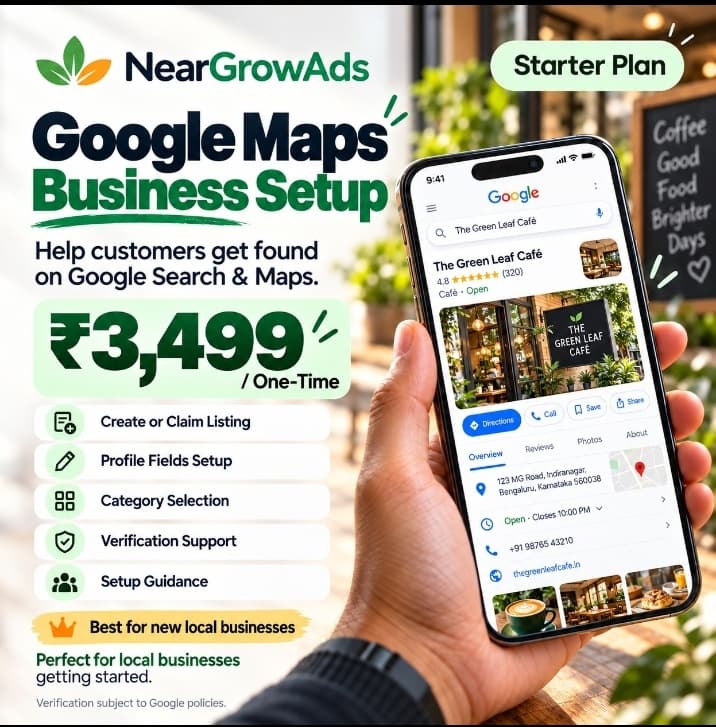
NearGrow Ads offers Google Business Profile Setup Assistance for ₹3,499 as a one-time service fee.
Our listed setup assistance includes:
- New Google Business Profile setup
- Create or claim listing assistance
- Business name, address and contact details
- Primary and additional category selection
- Business description and profile setup
- Opening hours and service details
- Google verification process support
- Professional setup guidance
This service is suitable for eligible local shops, salons, restaurants, cafés, clinics and service providers that need assistance establishing their Google presence.
Please note that Google Business Profile itself is free. The ₹3,499 fee covers NearGrow Ads' professional setup assistance, not a payment to Google. Verification and rankings are not guaranteed, and ongoing management or additional services should be confirmed separately.
Conclusion
A properly configured Google Business Profile helps customers find reliable information about your business when they search online. For local businesses in Delhi, it can be a useful foundation for improving discoverability, building customer trust and supporting broader local SEO efforts.
Start with accurate business details, appropriate categories, genuine photos and a completed verification process. Then keep your profile updated and use customer feedback and performance data to guide future improvements.
Get Your Business Ready to Be Discovered on Google
Need help setting up your Google Business Profile?
NearGrow Ads can help you establish your business presence on Google Search and Maps with professional setup assistance for a one-time fee of ₹3,499.
Whether you own a local shop, salon, restaurant, café, clinic or service business, we can guide you through the essential setup steps.
Contact NearGrow Ads today:
- WhatsApp: +91 92898 10149
- Website: https://neargrowads.com
Take the first step toward a more complete and professional local online presence with NearGrow Ads.