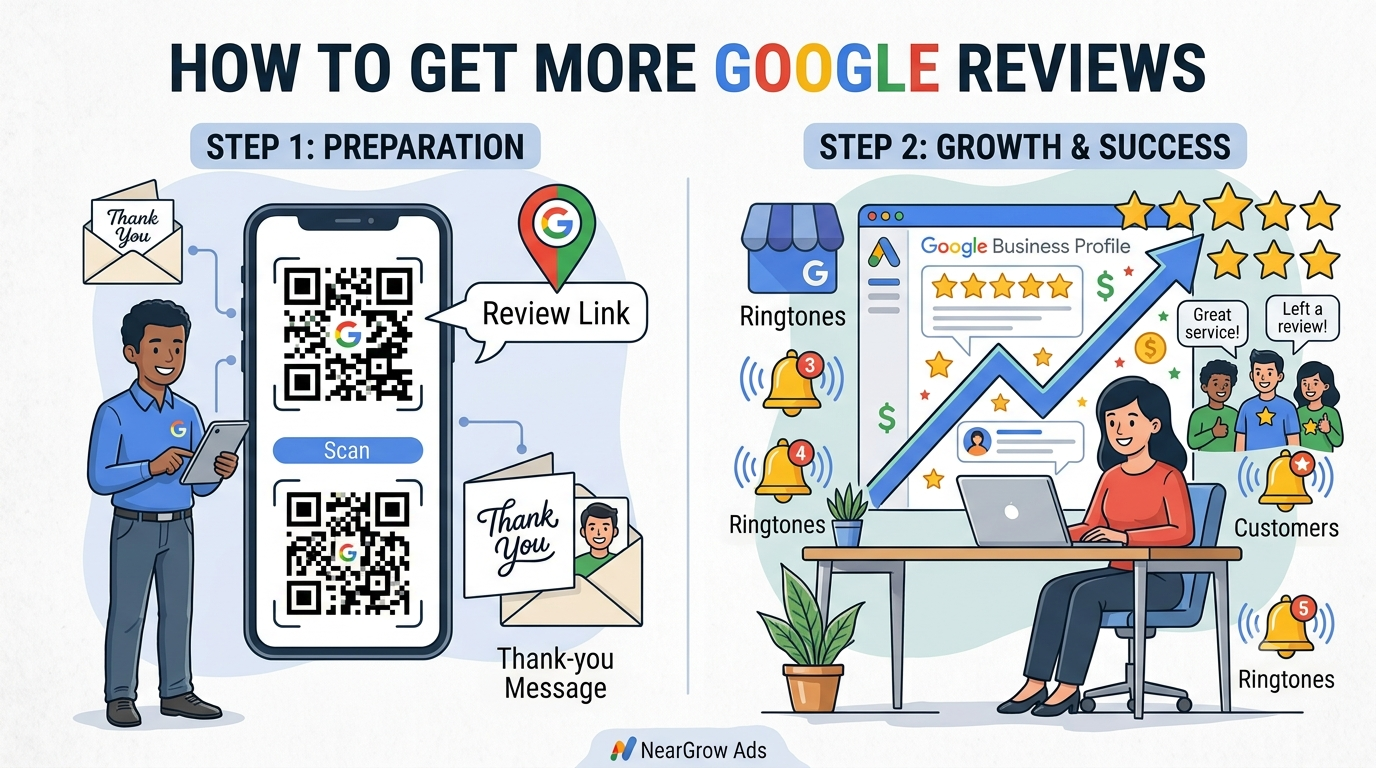
How to Get More Google Reviews (Without Breaking Google's Rules)

Many businesses provide excellent products or services but still struggle to attract new customers. One common reason is a lack of Google reviews. When people search for businesses near them, reviews often influence which company they choose.
A strong collection of genuine Google reviews builds trust, improves your online reputation, and can encourage more customers to contact your business. The good news is that getting more reviews doesn't require complicated marketing—it simply requires the right approach.
In this guide, you'll learn how to get more Google reviews, what Google recommends, and the best practices that help local businesses grow.
Why Google Reviews Matter
When someone searches for "restaurant near me," "best dentist in Delhi," or "AC repair in Noida," they usually compare businesses based on ratings and customer reviews.
Google reviews help potential customers answer questions like:
- Is this business trustworthy?
- Do customers recommend it?
- Is the service worth the money?
- Does the business respond to customers?
More positive, authentic reviews often lead to greater customer confidence.
Benefits of More Google Reviews
- Builds customer trust
- Improves local reputation
- Increases phone calls and enquiries
- Helps your Google Business Profile stand out
- Encourages more people to visit your website or store
- Provides valuable customer feedback
How to Get More Google Reviews
1. Ask Customers at the Right Time

Timing makes a huge difference.
The best time to ask for a review is immediately after you've delivered a great experience. At that moment, the customer is most likely to remember your service and leave positive feedback.
Good moments to ask include:
- After completing a service
- After delivering a product
- After a successful consultation
- After resolving a customer issue
- When a customer compliments your business
A polite, timely request often works better than asking weeks later.
2. Share Your Google Review Link

Don't make customers search for your business on Google.
Instead, send them a direct review link.
You can share it through:
- SMS
- Thank-you messages
- Digital invoices
- Printed receipts
The fewer steps customers have to take, the more likely they are to leave a review.
Pro Tip
Create a short review link and save it for quick sharing with every customer.
3. Use a QR Code for Reviews

QR codes make leaving a review even easier.
Customers simply scan the code with their phone and are taken directly to your Google review page.
QR codes work especially well for:
- Restaurants
- Hotels
- Clinics
- Retail stores
- Salons
- Service businesses
- Real estate offices
Place your QR code on:
- Billing counters
- Menus
- Reception desks
- Packaging
- Business cards
- Flyers
4. Train Your Team to Ask Naturally
Your staff interacts with customers every day, making them the perfect people to request reviews.
Instead of using a scripted message, encourage natural conversations.
Example
"Thank you for visiting us today. If you enjoyed our service, we'd really appreciate a quick Google review. It helps other customers find us."
Simple, friendly requests usually receive better responses.
5. Make the Process Easy
Customers are busy.
If leaving a review takes too long, many won't complete it.
Reduce friction by providing:
- Direct review link
- QR code
- Clear instructions
- Mobile-friendly access
The easier the process, the more reviews you'll receive.
6. Respond to Every Review

Many businesses collect reviews but never reply.
Responding shows customers that you value their feedback.
Whether the review is positive or negative, always reply professionally.
Positive Review Example
"Thank you for your kind words. We're happy you had a great experience and look forward to serving you again."
Negative Review Example
"Thank you for sharing your feedback. We're sorry your experience didn't meet expectations. We'd appreciate the opportunity to make things right."
Professional responses also leave a positive impression on future customers.
7. Never Buy Fake Reviews

Some businesses try to boost ratings by purchasing fake reviews or offering rewards in exchange for positive feedback.
This is against Google's review policies and can damage your reputation.
Avoid:
- Buying reviews
- Offering cash or gifts for reviews
- Asking only happy customers for reviews
- Posting reviews from fake accounts
- Writing reviews for your own business
Focus on earning honest reviews from real customers.
Best Google Review Request Process
Follow this simple workflow:
Step 1
Deliver excellent service.
Step 2
Ask the customer while the experience is still fresh.
Step 3
Send a direct Google review link or QR code.
Step 4
Keep your message short and polite.
Step 5
Reply when the customer leaves a review.
Consistency is more effective than asking many customers all at once.
Google Review Request Templates
WhatsApp Message
Hi! Thank you for choosing our business today. If you had a good experience, we'd really appreciate a quick Google review. Your feedback helps other customers find us.
⭐ Leave your review here: [Your Review Link]

SMS Template
Thank you for choosing us. We'd love to hear your feedback. Please leave us a Google review here: [Review Link]

Email Template
Subject: Thank You for Choosing Us
Hello,
Thank you for trusting our business.
If you were happy with our service, we'd really appreciate a quick Google review. Your feedback helps us improve and helps other customers make informed decisions.
Leave your review here:
[Google Review Link]
Thank you for your support!
Google Reviews Checklist
Before requesting reviews, make sure you have:
✔ Verified Google Business Profile
✔ Direct review link
✔ QR code
✔ Staff trained to ask politely
✔ Thank-you message prepared
✔ Review response process
✔ Regular review monitoring
✔ Genuine customer feedback only
Common Mistakes Businesses Make
Avoid these common errors:
- Waiting too long before asking
- Making customers search for your business
- Ignoring negative reviews
- Using fake reviews
- Offering incentives
- Not responding to reviews
- Asking only once
Small improvements in your review process can make a significant difference over time.
Example: A Restaurant That Increased Customer Trust
The Problem
A local restaurant had excellent food but only 18 Google reviews. New customers often chose competitors with higher review counts.
The Strategy
The restaurant:
- Asked customers after every meal
- Added a review QR code to each table
- Included the review link on digital receipts
- Responded to every review
The Results
Within a few months, the business received a steady stream of authentic reviews, improving customer confidence and generating more enquiries through Google Search and Google Maps.
Key Takeaway
Consistency—not shortcuts—is the best way to build a strong online reputation.
How NearGrow Ads Can Help
Building a successful Google Business Profile involves more than simply collecting reviews. It requires ongoing optimization, regular updates, and a strategy that improves your visibility in local search.
NearGrow Ads helps businesses grow through:
- Google Business Profile Optimization
- Local SEO Services
- Google Ads Management
- Social Media Marketing
- Performance Marketing
- Website Optimization
Whether you're a restaurant, hotel, clinic, retail store, real estate agency, or local service provider, we help you build trust and attract more customers online.
Want more customers finding your business online?
Contact NearGrow Ads today and discover how Local SEO, Google Reviews, and Google Business Profile optimization can help your business grow.
Grow Local. Grow Smart. Grow With NearGrow Ads.
Related Articles
You may also like:
- Google Business Profile Optimization Guide
- Local SEO Checklist for Small Businesses
- Why Your Business Is Not Showing on Google Maps
- How to Rank Higher on Google Maps