Why Your Google Ads Are Not Getting Leads (And How to Fix It)
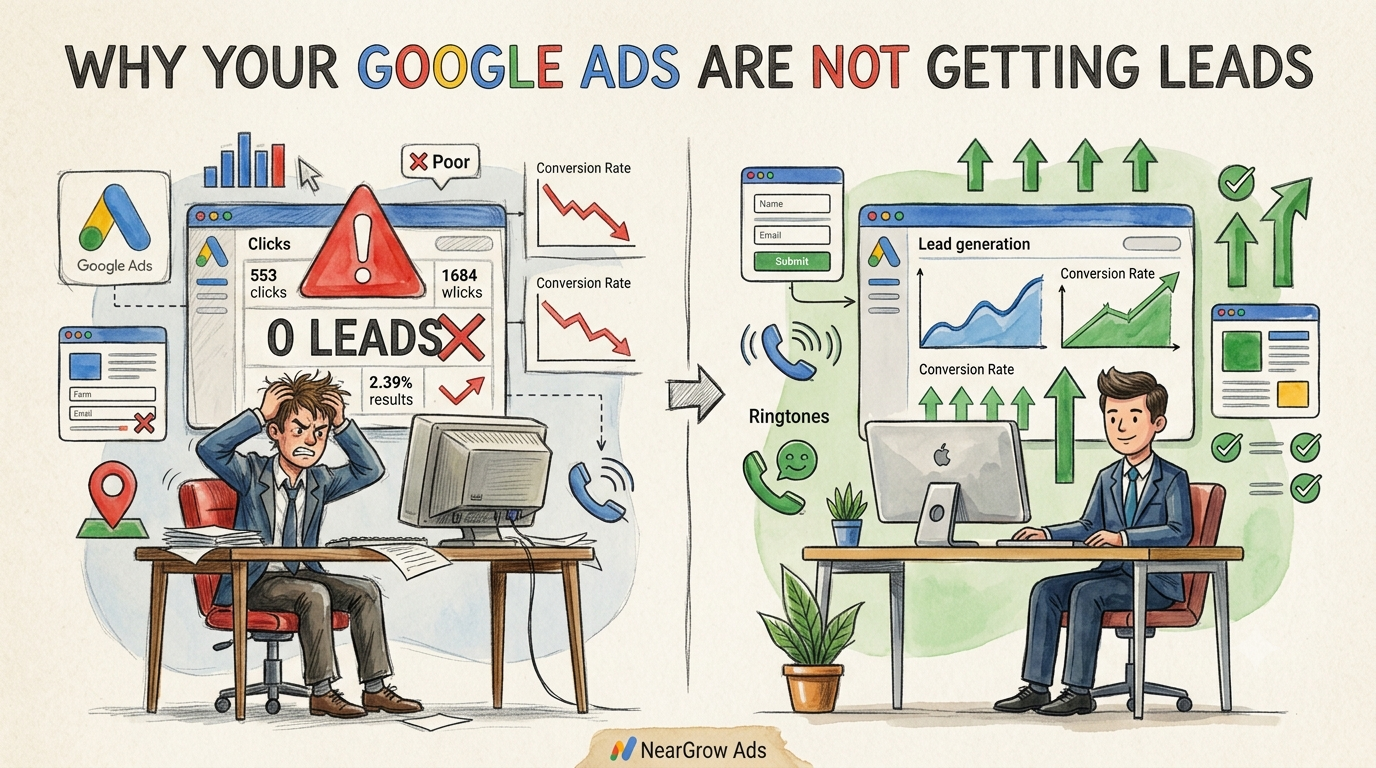
Many business owners invest in Google Ads expecting their phones to ring with enquiries. Instead, they see plenty of clicks but very few leads. It can be frustrating to spend money every day without seeing real business results.
The truth is that Google Ads itself is rarely the problem. In most cases, the issue lies in your targeting, landing page, conversion tracking, or campaign setup.
In this guide, you'll learn the most common reasons why your Google Ads aren't generating leads and the practical steps you can take to improve your campaign performance.
Why Clicks Don't Always Turn Into Leads

A common misconception is that more clicks automatically mean more customers.
Unfortunately, that's not how online advertising works.
Someone may click your ad because they're comparing prices, researching a service, or simply curious. Unless your campaign reaches people who are ready to take action, those clicks won't become enquiries or sales.
Successful Google Ads campaigns focus on attracting qualified visitors, not just increasing website traffic.
1. You're Targeting the Wrong Search Intent
One of the biggest reasons campaigns fail is targeting keywords that don't match customer intent.
Example
Imagine you own a pest control company.
These searches have very different intentions:
- "What attracts termites?"
- "DIY termite treatment"
- "Pest control near me"
- "Emergency termite removal"
Only the last two searches indicate that someone is ready to hire a service.
If your campaign targets informational searches, you'll receive traffic but very few enquiries.
How to Fix It
Focus on keywords that show buying intent, such as:
- Service near me
- Company
- Expert
- Book now
- Repair
- Installation
- Emergency service
High-intent keywords usually produce better lead quality, even if they generate fewer clicks.
2. Your Landing Page Isn't Converting Visitors

Your ad may be excellent, but your landing page determines whether someone contacts your business.
Many businesses send paid traffic to a homepage filled with unnecessary information instead of a page designed to generate enquiries.
Common Landing Page Problems
- Slow loading speed
- Poor mobile experience
- Too much text
- No clear call-to-action
- Confusing layout
- Missing contact information
- No trust signals
Visitors decide within seconds whether to stay or leave.
A Good Landing Page Should Include

✔ Clear headline
✔ Service benefits
✔ Contact form
✔ Phone number
✔ Customer reviews
✔ Service area
✔ Fast loading speed
✔ Mobile-friendly design
Example
If your ad says:
"Affordable AC Repair in Delhi - Same Day Service"
Your landing page should immediately show:
- AC repair services
- Same-day booking
- Delhi service areas
- Customer reviews
-
Book Now button

If visitors land on a generic homepage instead, many will leave without contacting you.
3. Your Conversion Tracking Is Missing or Broken
Many businesses believe Google Ads isn't producing leads when the real issue is incorrect conversion tracking.
If conversions aren't properly configured, Google cannot accurately report your campaign's performance or optimise for the right actions.
Common Tracking Problems
- Website forms not tracked
- Phone calls missing
- WhatsApp clicks not counted
- Thank-you page not configured
- Google Tag Manager setup errors
Without proper tracking, Google may report zero conversions even when customers are actually contacting your business.
What Should You Track?
For lead generation campaigns, measure:
- Contact form submissions
- Phone calls
- Website enquiries
- Appointment bookings
- Quote requests
- Offline sales (if applicable)
Tracking every valuable action helps you understand where your leads are coming from and allows Google's bidding system to optimise more effectively.
4. Your Location Targeting Is Too Broad or Too Narrow
Location targeting plays a major role in lead quality.
If your business only serves one city but your campaign targets the entire country, you'll receive many irrelevant clicks.
Likewise, if your targeting area is too small, your ads may not receive enough impressions to generate leads.
Example
A plumber serving Noida should not advertise across all of India.
Instead, target:
- Noida
- Greater Noida
- Nearby service areas
- Specific radius around your business
Local targeting usually produces more qualified enquiries.
5. Your Budget Is Too Low
Sometimes the campaign is well designed but simply doesn't have enough budget to compete.
Google Ads works through auctions.
If competitors consistently bid higher, your ads may appear less often.
Low budgets often result in:
- Limited impressions
- Fewer clicks
- Lower lead volume
Increasing your budget isn't always the answer, but it should be enough to participate in relevant auctions for your target keywords.
6. You're Using Broad Keywords Without Negative Keywords
Broad keywords can trigger your ads for unrelated searches.
For example, an ad for paid accounting services might appear for:
- Free accounting software
- Accounting jobs
- Accounting course
- Accounting internship
These searches rarely generate business leads.
Add Negative Keywords
Negative keywords stop your ads from showing for irrelevant searches.
Examples include:
- Free
- Jobs
- Career
- Salary
- Course
- Template
- Internship
Review your Search Terms Report regularly to identify irrelevant queries and add them as negative keywords.
7. Your Ad Copy Doesn't Match Your Offer
People click because they expect your ad to deliver exactly what it promises.
If there's a mismatch, they leave quickly.
Poor Example
Headline:
Best Digital Marketing Agency
Landing Page:
General homepage with no pricing, services, or contact form.
Better Example
Headline:
Google Ads Management for Local Businesses
Landing Page:
- Service details
- Pricing consultation
- Case studies
- Contact form
- Phone number
Consistency builds trust and improves conversions.
8. You're Ignoring Mobile Users
Most Google searches now happen on mobile devices.
If your website is difficult to use on a phone, visitors may leave before contacting you.
Mobile Checklist
✔ Fast loading
✔ Easy navigation
✔ Large buttons
✔ Click-to-call feature
✔ Simple contact form
✔ Readable text
A smooth mobile experience can significantly improve your conversion rate.
9. There Isn't Enough Search Demand
Sometimes the issue isn't your campaign—it's the market.
If only a small number of people search for your service each month, your campaign naturally has fewer opportunities to generate leads.
Before increasing your budget, research:
- Monthly search volume
- Local competition
- Seasonal demand
- Customer search trends
Understanding market demand helps set realistic expectations.
10. You're Looking at Clicks Instead of the Full Funnel
Many advertisers focus only on click numbers.
A better approach is to analyse the complete customer journey.
Google Ads Lead Generation Funnel
- Customer searches on Google.
- Your ad appears.
- Customer clicks the ad.
- Landing page loads.
- Customer reads your offer.
- Customer fills out the form or calls.
- Lead is recorded.
- Sales team follows up.
A problem at any stage can reduce lead volume.
Instead of asking, "Why am I not getting leads?", ask:
- Are my ads reaching the right audience?
- Is my landing page convincing?
- Is conversion tracking working?
- Am I measuring the right actions?
Google Ads Lead Generation Checklist
Before increasing your budget, review this checklist:
✔ High-intent keywords
✔ Relevant landing page
✔ Mobile-friendly website
✔ Conversion tracking enabled
✔ Phone call tracking
✔ Negative keywords added
✔ Correct location targeting
✔ Clear call-to-action
✔ Competitive budget
✔ Regular campaign optimisation
Even small improvements across these areas can have a noticeable impact on lead quality and cost per lead.
Example: Why 1,000 Clicks May Produce Only 10 Leads
Imagine your campaign receives:
- 1,000 clicks
- Landing page conversion rate: 1%
That results in just 10 leads.
If conversion tracking is broken, Google Ads may report even fewer—or none at all—even though enquiries are actually happening.
This is why campaign performance should always be evaluated using the complete lead generation process rather than clicks alone.
How NearGrow Ads Can Help
Managing Google Ads successfully requires more than choosing keywords and setting a budget. Campaigns need continuous optimisation to attract qualified leads while keeping costs under control.
At NearGrow Ads, we help businesses improve online growth through:
- Google Ads Management
- Google Business Profile Optimization
- Local SEO Services
- Social Media Marketing
- Website Optimization
- Performance Marketing
Whether you're a local service provider, restaurant, hotel, healthcare clinic, or real estate business, we create campaigns focused on generating real enquiries—not just clicks.
Want more customers finding your business online?
Contact NearGrow Ads today and discover how Google Ads, Local SEO, and digital marketing can help your business grow.
Grow Local. Grow Smart. Grow With NearGrow Ads.
Related Articles
You may also find these guides helpful:
- Google Business Profile Optimization Guide
- Local SEO Checklist for Small Businesses
- Google Ads for Local Businesses
- Why Your Business Is Not Showing on Google Maps